
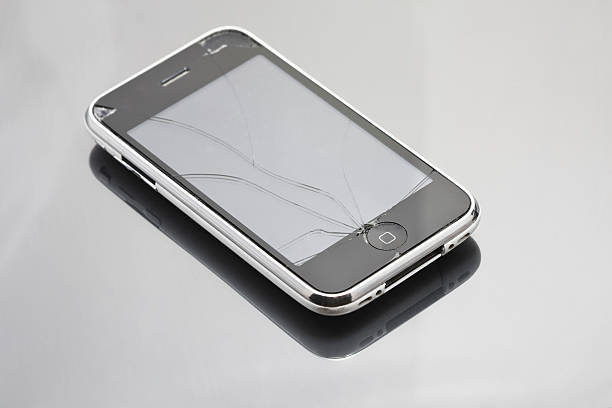
Applying a screen protector to an iPhone can seem like a daunting task, but it’s an essential step in prolonging the life of your device and maintaining its pristine condition. While it may look straightforward, there are specific techniques that, when followed, ensure a bubble-free and perfect application. This guide provides practical advice and expert tips for applying a screen protector seamlessly, ensuring your iPhone is well-protected and aesthetically pleasing.
Preparation is Key
Before you begin applying your screen protector, it”?s crucial to prepare both the environment and your device. An optimal setup can prevent dust and misalignment issues.
- Choose a clean, dust-free environment. A bathroom after a hot shower can be ideal as the steam helps settle dust particles.
- Gather your tools: microfiber cloth, dust remover stickers, and the screen protector.
- Wash and dry your hands thoroughly to avoid transferring oils onto the screen.
Cleaning the iPhone Screen
A clean screen is the foundation for a bubble-free application. Follow these steps to ensure the surface is spotless:
- Turn off your iPhone to prevent accidental touches that might disturb the application process.
- Use a microfiber cloth to gently wipe the screen clean, removing fingerprints and smudges.
- Apply a few drops of screen cleaning solution or water on the cloth, not directly on the screen, to tackle tougher marks.
- Utilize dust remover stickers to pick up any remaining particles.
Read more about this topic for detailed cleaning techniques.
Aligning the Screen Protector
Proper alignment is crucial for both functionality and aesthetics. A misaligned protector can impair touch sensitivity and detract from the iPhone”?s sleek design.
- Carefully remove the protective backing from the screen protector, avoiding contact with the adhesive side.
- Hold the protector by its edges and align it with the iPhone”?s screen, starting from one edge.
- Use the front camera and speaker as reference points for alignment.
- Once aligned, gently place one edge of the protector on the screen and slowly lower it onto the surface.
Learn more in this detailed guide about positioning techniques.
Smoothing Out Air Bubbles
Even with careful application, air bubbles can form. Here are expert methods to eliminate them:
- Use a credit card or a flat edge wrapped with a cloth to push bubbles towards the nearest edge.
- For stubborn bubbles, lift the nearest corner of the screen protector gently, then reapply by smoothing it out.
- Patience is key; work slowly to prevent tearing or misalignment.
Explore further insights here on bubble removal strategies.
Final Tips and Considerations
Once your screen protector is applied, consider the following tips to maintain its condition:
- Avoid using sharp objects directly on the screen protector to prevent scratches.
- If the screen protector becomes damaged, replace it promptly to ensure continuous protection.
- Consider using a protective case to complement the screen protector for overall device safety.
For ongoing care and maintenance advice, find additional information here.
By following these expert tips, you can effectively protect your iPhone”?s screen from scratches, cracks, and other potential damage, ensuring it remains in excellent condition for years to come. A well-applied screen protector not only preserves the device”?s functionality but also enhances its resale value, making it a worthwhile investment.